Related sections





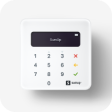

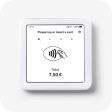













SumUp Terminal
Accept card payments
Accepting card transactions with a card reader is quick and easy with SumUp. Here’s all you need to know.
Read ArticleCreate employee profiles
Set up employee profiles to create separate logins for each of your employees, allowing you to customize what employees are able to do.
Read ArticleManage my floor plan
Customize and create tables in your floor plan, to which you can add the orders to have a better overview of the active and open orders.
Read ArticleConnect to the internet
Choose a Wi-Fi connection or a mobile network to connect your device to the internet and resolve common connection issues.
Read ArticleManage multiple orders
Open multiple orders at once and save them for later so you can take orders from more than one customer at a time.
Read ArticleOrder synchronization
Improve your service flow, reduce errors, and manage orders and payments seamlessly with the order synchronization feature.
Read ArticleAdd items to my item catalog
Manage your entire inventory in one place with items. Add your items and they will sync across your SumUp app and profile and be available for use with all our products and features.
Read ArticleCreate and manage preset discounts
Create and apply the most frequently used discounts for quick access at checkout with preset discounts.
Read ArticleCollect and refund container deposits
Easily manage container deposits directly from your POS. Add deposits to your items and accurately track collected and returned amounts to maintain a clear record of deposit transactions.
Read ArticleSet up tipping
Activate tipping and set your preferences for how tipping options are presented to customers, including the option to enable dynamic tipping options.
Read ArticleManage my inventory
Enable inventory management with SumUp to track your stock levels so you always know when your inventory needs replenishing.
Read Article