Related sections




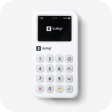





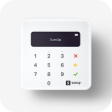
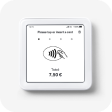











Lite card reader
Generate QR code receipts
With QR code receipts, your customers no longer need to enter their phone number or email address to receive a receipt. Instead, they can simply scan a QR code.
Read ArticleUpdate my card reader
Your card reader automatically checks for updates on a regular basis, however here's how to manually check for card reader updates to ensure everything runs smoothly.
Read ArticleConnect a printer
Connect a printer to use with SumUp so you can start printing receipts after transactions or reprint receipts from previous sales.
Read ArticleReissue receipts
Provide a second copy of an old receipt or simply send or print a receipt from a previous sale. Here's how it's done.
Read ArticleGet the most out of my card reader
Improve the performance of your card reader with advice on how to use it best. From battery life to updating your reader, here’s what you need to know.
Read ArticleActivate Bluetooth
Turn on your Bluetooth so you can connect to other devices to take payments.
Read ArticleAccept card payments
Accepting card transactions with a card reader is quick and easy with SumUp. Here’s all you need to know.
Read ArticleReduce the risk of chargebacks
The best way to reduce the risk of payment disputes is to ensure customer satisfaction at all times, but you can also take additional steps to take payments securely.
Read Article